The Walkie-Talkie, Reborn

Chirp is back. And it brought a map.

Push-to-talk that knows where your crew is, what trade they're in, and which jobsite they're standing on. A real-time map. A real radio feel. Built for the people who actually do the work.

Apple Push-to-Talk framework Live crew map Geofenced sites App Clip for visitors Pay-per-day tokens
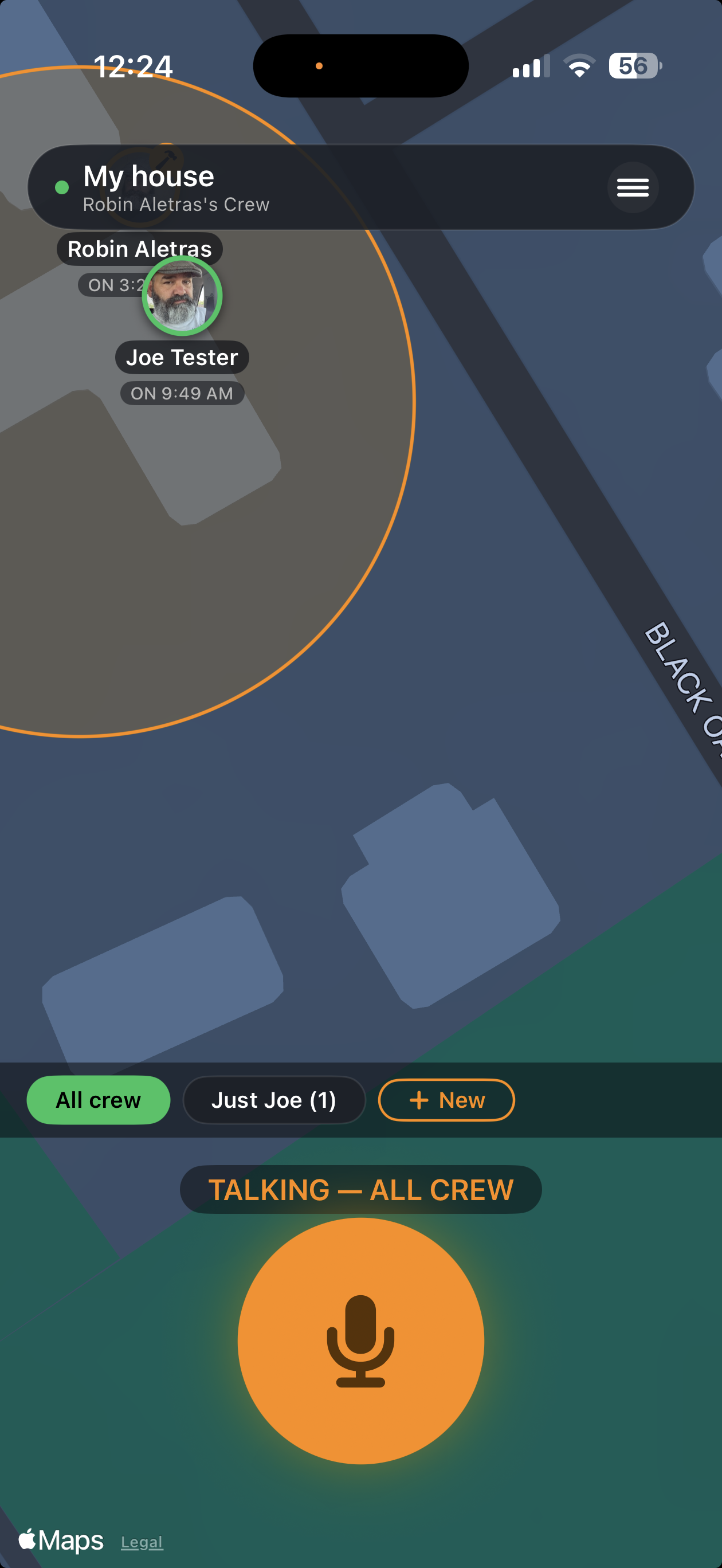
Chirped live crew map with active transmission
The Differentiator

The map is the product.
Everyone has audio.

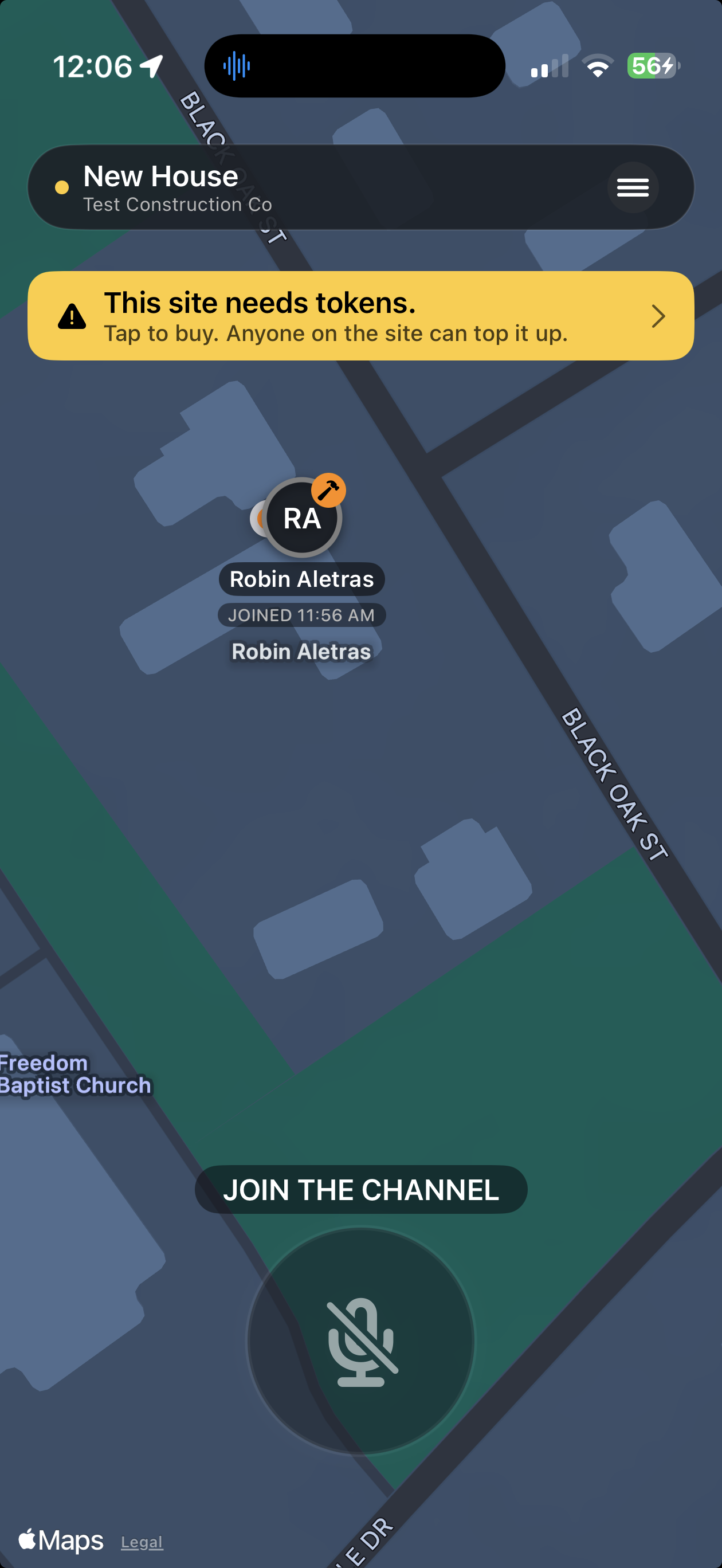
Every other push-to-talk app gives you a voice channel. Chirped gives you a live map of every crew member — color-coded by trade, badged by role, with single-tap controls to mute or include anyone in your next transmission.

  • Tap a pin to mute that worker out of your next chirp. Tap again to make them the only recipient. Tap a third time to clear.
  • Select multiple workers and they get numbered in the order you tapped. Your message routes to exactly those workers. No channel surfing.
  • Trade halos and a foreman badge tell you who is who, instantly. Electricians, plumbers, framers — 25 presets plus any custom label.
  • Auto-join when the crew arrives at a site. Auto-leave when they walk off. The geofence does the paperwork. Foremen stay on; workers fall off.
Worker view: token warning + Join the Channel
vs. Nextel & Zello

Chirped doesn't just replace the radio. It replaces the conversation about the radio.

Nextel's Direct Connect was the gold standard of jobsite voice for two decades — and it sunsetted in 2013. Zello kept the channel metaphor alive on smartphones. Chirped throws out the channel and starts from the map.

Nextel Direct Connect Zello Chirped
Sub-second push-to-talk (sunset 2013) ✓ Apple PT framework
Live map of crew locations ✓ Every pin, every site
Geofenced auto-join / auto-leave ✓ Drop a pin, set a radius
Trade-based dynamic groups Channels only ✓ 25 presets + custom
Single-tap mute / include ✓ Per transmission
Multi-site audio bridging ✓ Flaggers, gates, off-sites
No-install visitor channel ✓ Apple App Clip — tap, talk, gone
Pricing model Hardware + monthly per-line Subscription per user Pay-per-day tokens. Idle sites cost $0.
Carrier-independent ✗ (Sprint network only) (cellular / WiFi) ✓ Cell + WiFi + Satellite-ready
Brand new — first in the category

The trailer sticker that puts inspectors on your channel in 10 seconds.

Every jobsite gets visitors. Inspectors. Delivery drivers. Owners walking the property. The GC's project manager. Subs there for one afternoon. They all need to find your foreman, and they all need to do it without downloading anything.

So we built an Apple App Clip. Zello doesn't have this. AT&T Enhanced PTT doesn't have this. Motorola WAVE doesn't have this. Nobody in this category does.

1

Tap the sticker.

Slap a Chirped NFC sticker (or QR card) on the trailer. The visitor walks up and taps it with their iPhone.

2

App Clip launches.

Apple's instant-app surface — under 10 MB, no install, no App Store, no account. They see your site name and a name field.

3

Type a name. Done.

Geofence confirms they're on site. They're on the channel. They press the button to talk. Your crew hears them.

4

You stay in control.

You pre-pick who hears visitors — Owner + Foremen, every electrician, the whole crew, your choice. Visitors only hear what's broadcast to them.

Visitors show up on your map.

Every walk-up appears as a gray pin with the name they typed. Tap a pin to kick them or ban them — same controls you use on real crew.

The trailer is the front door.

No more "where's the foreman?" No more handing out phone numbers. No more "download this app real quick." Tap the sticker. You're in.

Built for the jobsite

Everything a foreman needs. Nothing they don't.

Geofenced Sites

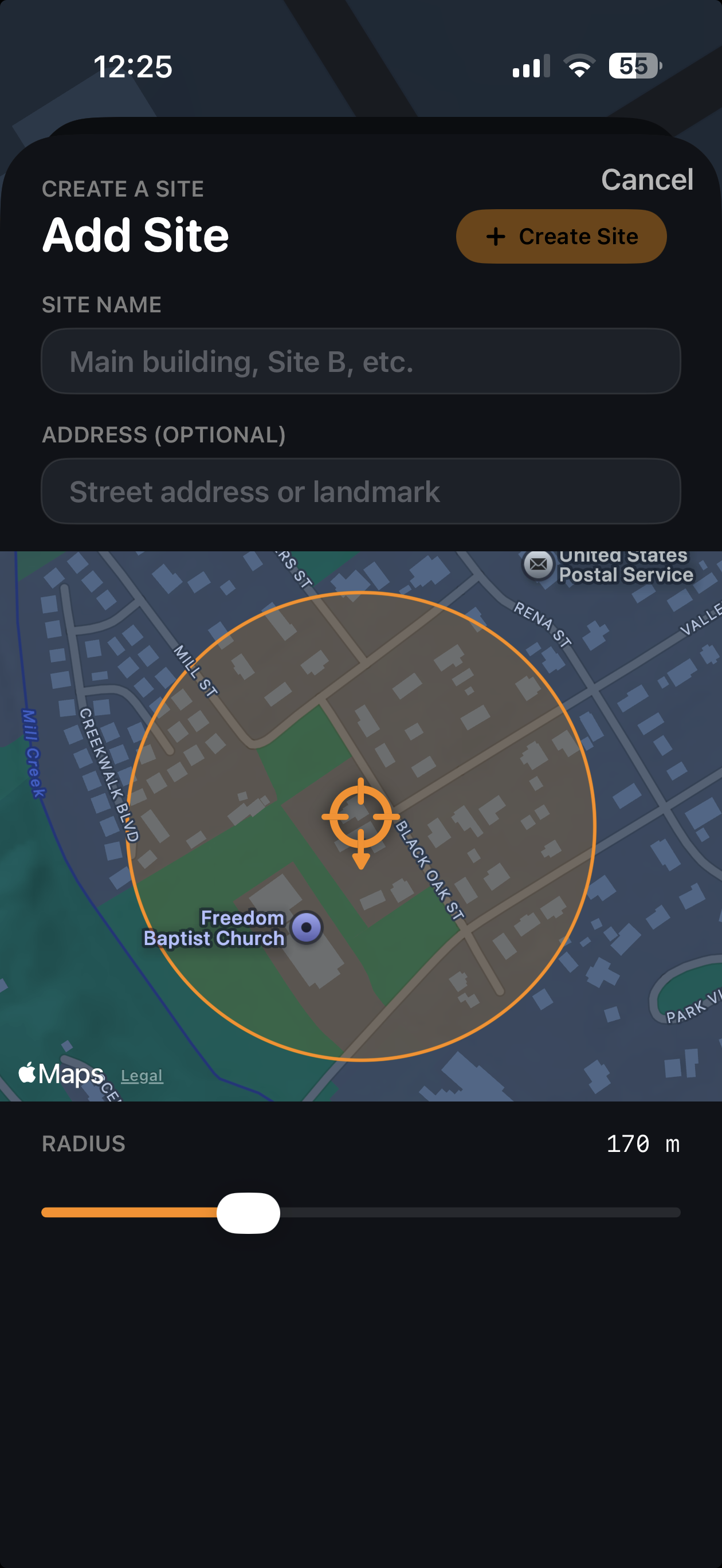
Drop a pin, set a radius, name the site. Workers auto-join the moment they cross the line, auto-leave when they walk off.

Trade Roles

25 presets plus any custom label. Color-coded halos on the map, dynamic group filters, foreman-assignable per site.

Foreman / Worker

Sticky foreman after geofence exit (they keep listening on the drive). Workers auto-kick. Role-aware from the ground up.

$

Pay-Per-Day Tokens

One token covers one crew member for one day on one site. Inactive sites cost nothing. No seat licenses, no contracts.

Personal Groups

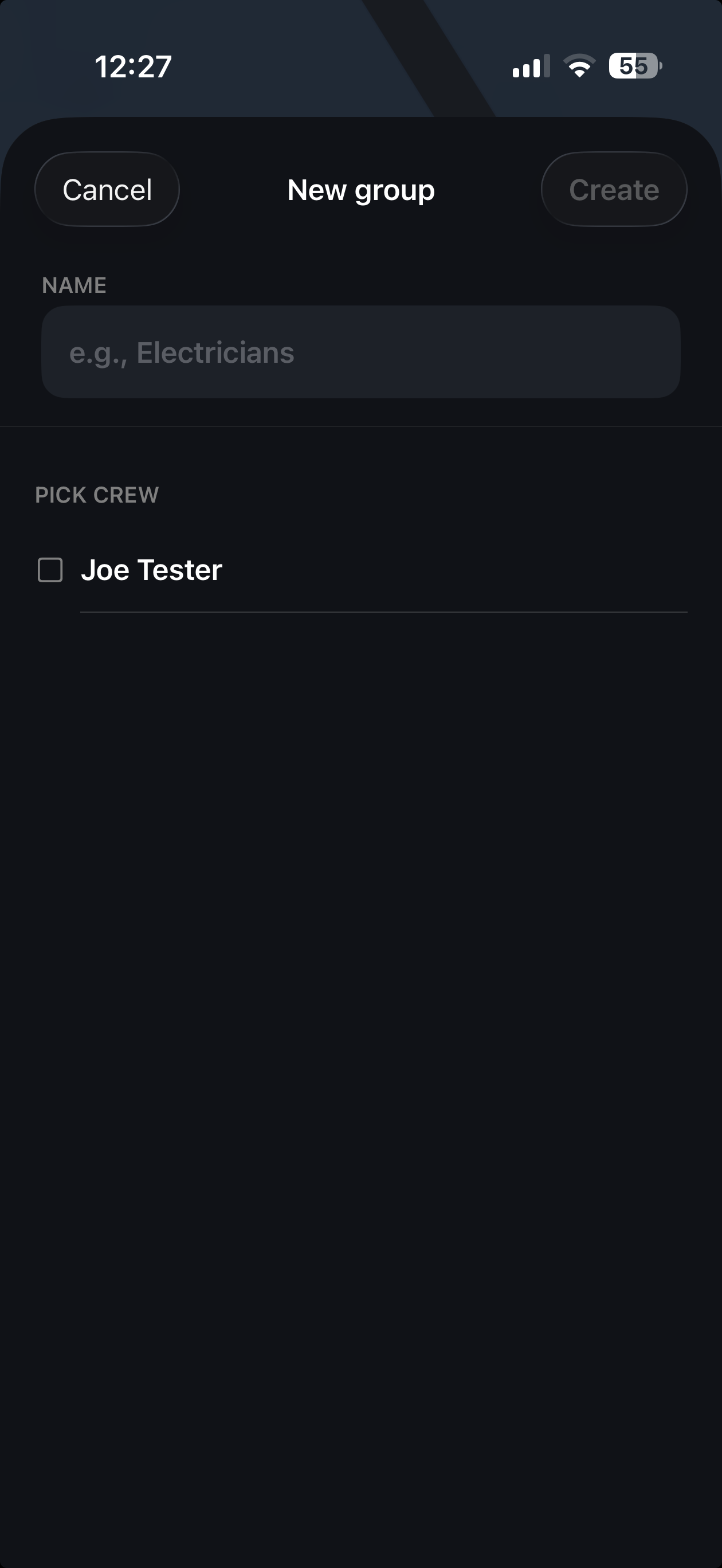
Foremen build distribution lists by trade, by name, or both. Tap a group, press to talk, exactly those workers hear it.

Multi-Site Bridging

An off-site geofence — a flagger station, a delivery gate — bridges audio to its parent jobsites. One press, every site, no relay.

Mute / Include Cycle

Tap once to mute, twice to include in this press, three times to clear. Same gesture on the map and the roster.

Crew Hours

Geofence in / out doubles as a clock-in / clock-out log. Foremen pull crew-hour reports straight from the site.

In the app

It looks like this. It works exactly like that.

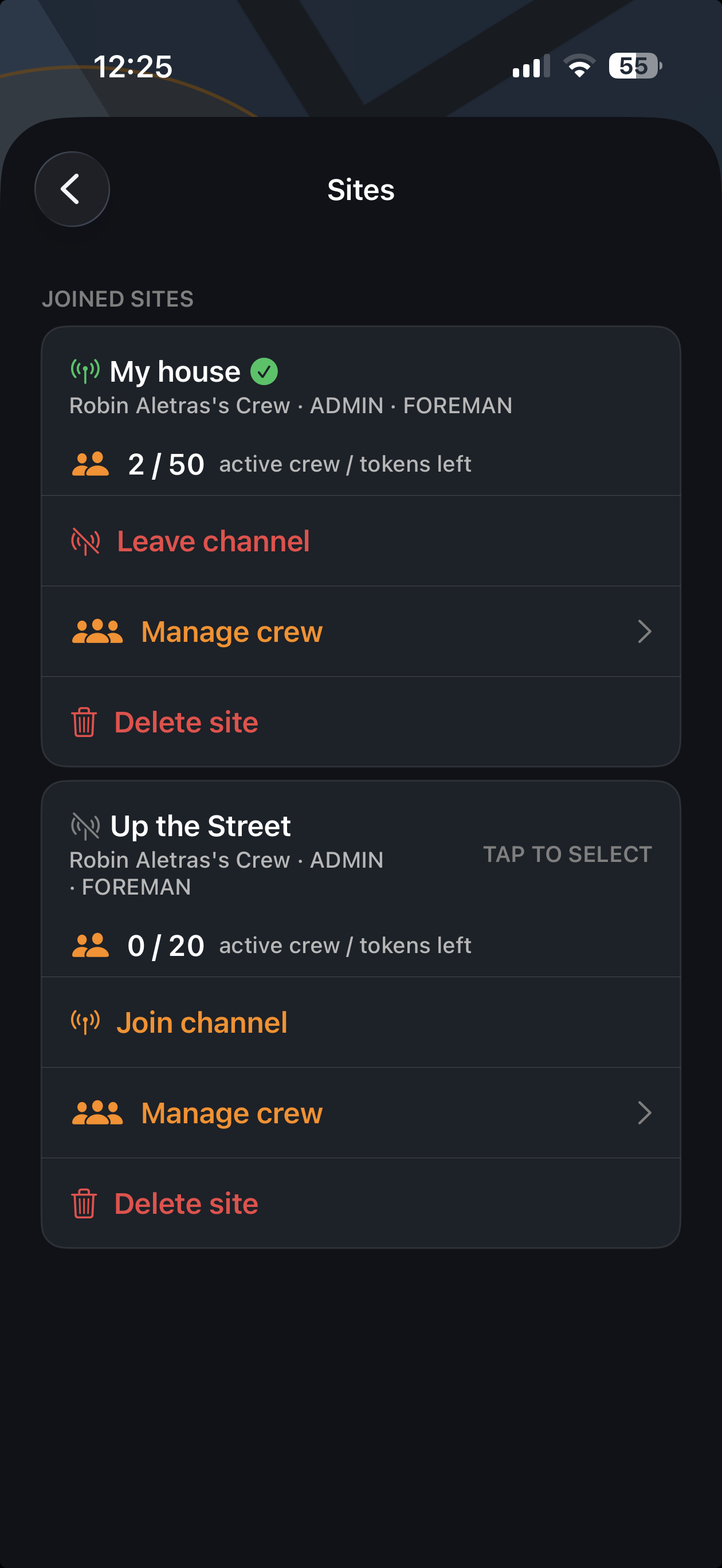
Joined sites list
Joined Sites
Add a geofenced site
Add a Site
Create a personal group
New Group
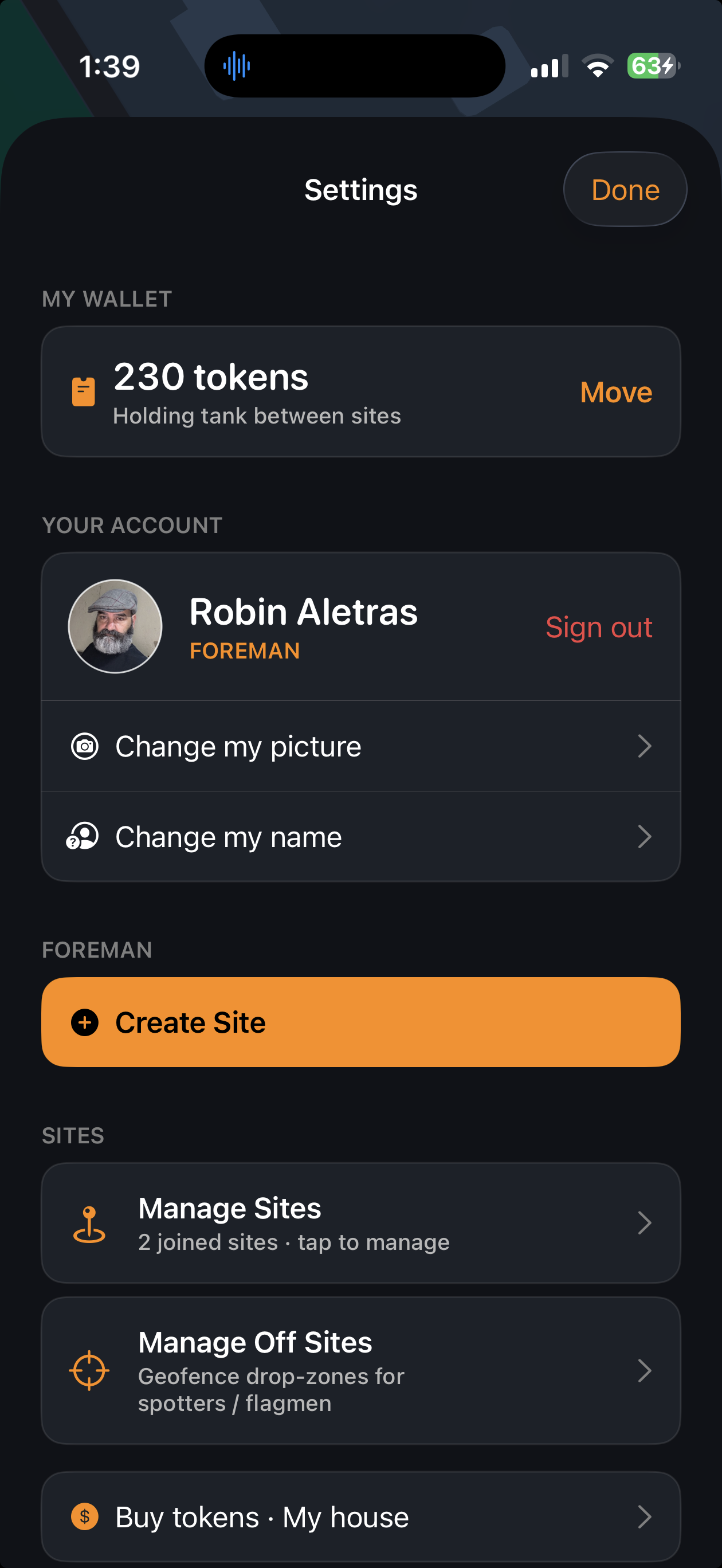
Wallet and settings
Wallet & Settings
Where the network matters

Chirped works on whatever your network is. Some networks change the game.

A push-to-talk app is only as reliable as the pipe underneath it. Chirped runs on cellular, WiFi, and — with the right carrier — direct satellite-to-iPhone. Below is the operating envelope as of today, plus the hardware Chirped is building for the places signal still can't reach.

Direct Satellite-to-iPhone

With T-Mobile's Starlink integration, every modern iPhone on the network gains global satellite connectivity — no terminal, no antenna, no phone modifications. The phone Chirped is already installed on becomes the phone that works in the dead zones.

Chirped is purpose-built for the customers who need this most: framing crews in the foothills, road-builders on the interstate shoulder, well-pad teams off-grid for the workday. The killer use case for satellite-to-iPhone is the crew that's been waiting for a real walkie-talkie that follows them.

Network-side: live (T-Mobile + Starlink) App-side: no changes required

Cellular & WiFi

Chirped uses Apple's Push-to-Talk framework on LTE, 5G, and any WiFi the phone is on. Floor claims are sub-second; the app keeps a persistent audio session in the background so a press is always live.

  • Floor preempt & release on every press
  • Lock-screen Live Activity for the active speaker
  • Bluetooth-headset aware (call-grade audio routing)
Shipping

Chirped Mobile Hub

A portable, ruggedized on-site connectivity device that pairs with the crew's iPhones — for sites that sit below the satellite horizon, inside steel structures, or in canyons that block direct sky. Plug, power, paired.

  • One device covers a full geofenced site
  • Local LAN fallback if upstream goes dark
  • Designed for partner co-branding
On the roadmap

Apple PT Framework Native

Chirped is built on Apple's PushToTalk framework — the iOS-blessed path for low-latency voice. No background-audio hacks, no VoIP grey-area. Lock-screen present, CarPlay-friendly, App Store-approved.

iOS 16+ App Store category: Business
Why this is interesting to a carrier, an OEM, or an ISP

Chirped is the use case your network has been looking for.

01

A killer use case for satellite-to-iPhone

Construction crews work in coverage dead zones every single day. A push-to-talk app that follows the crew off-grid — on the phones they already own — is the demo that sells satellite plans to small businesses.

02

A paying, B2B audience

Every foreman owns the wallet. They pay per day, per site. The Hub is hardware. Chirped's monetization is in flight, not theoretical.

03

Co-marketing surface

Partner-network branding can live inside the app (connectivity chips, Hub firmware, splash placement) and on this page. The partner chooses how visible they want to be.

04

Shipped, not slidewared

Chirped V3 is ready. The roadmap is public. The codebase is run by a founder who ships every week. This is an app, not a deck.

“The map is what the radio was always missing.
Chirped puts the crew on the screen so the conversation can finally be about the work.”
— Robin Aletras, Founder
< 300 ms
Floor-claim latency on LTE
iOS 16+
Native Apple PT framework
25
Trade-role presets, plus custom
$0
Cost when a site is idle